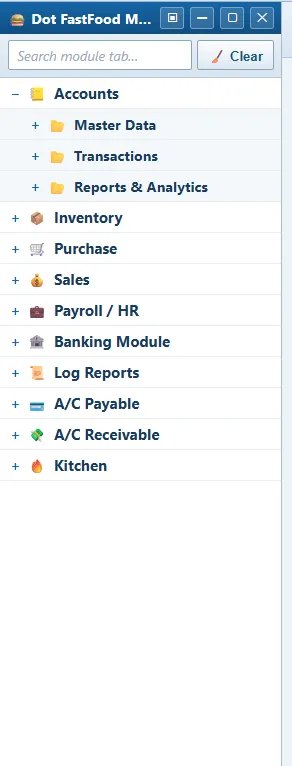
Ten modules, 123 screens.
Every screen, grouped as the sidebar shows them. Each module opens as a panel of Master Data, Transactions and Reports & Analytics. Modules are switched on per business; a feature can also be enabled for one branch and not another.
Accounts 24 screens
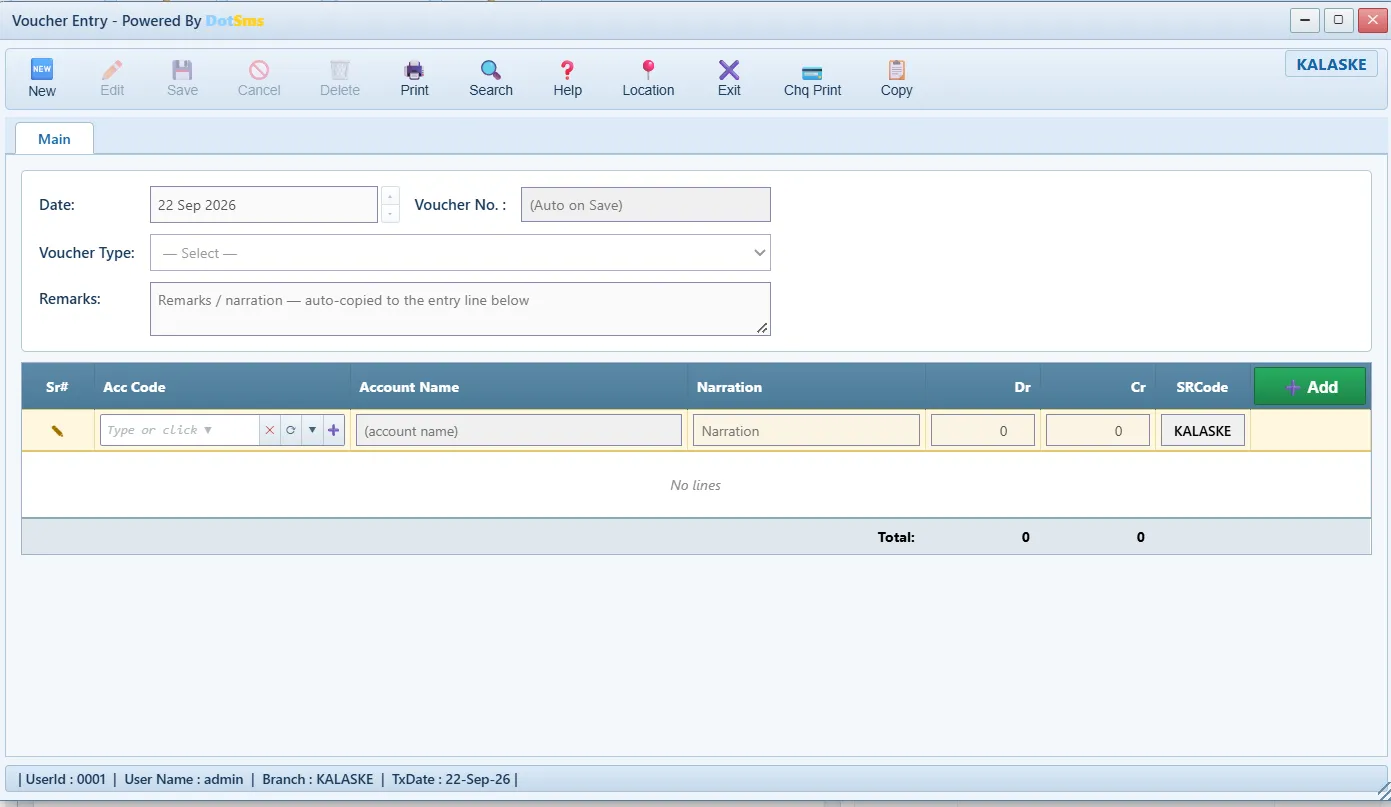
Full double-entry general ledger with a four-level chart of accounts (Level 1 → head), opening balances, budgets and the posting accounts that every automatic voucher uses.
Master Data
- Chart of Account
- Account Opening Balance
- Moving Headmove a ledger to another head, logged
- Discount Types
- COA Budget
- Posting Accounts
Transactions
- Voucher EntryJV · CPV · CRV · BPV · BRV
- Fund Transfer / Income
- Cash Funds in Transit
- Daily Expense
- Other Income
- Debit / Credit Note
- Daily Branch Closingclosed-day lock
Reports & Analytics
- Trial Balance
- General Ledger
- Day Book
- Daily Transactions
- Expense Report (Location)
- Profit & Loss
- Financial Report / Branch Wise
- Worth Report
- Cash Flow Indirect Method
- Cash Book
- Balance Sheet
Inventory 22 screens
Items in base units with categories, stores and store types; nine stock feeds (opening, purchase, sale, issue, receive, return, adjustment, waste, sub-recipe) valued at the branch’s moving average.
Master Data
- Food Category
- Add Itemunits, serial-numbered items
- Stock Opening
- Manage Stores
- Store Type
- Waste Reasons & Policy
Transactions
- Stock Issue
- Stock Receive
- Stock In Transit
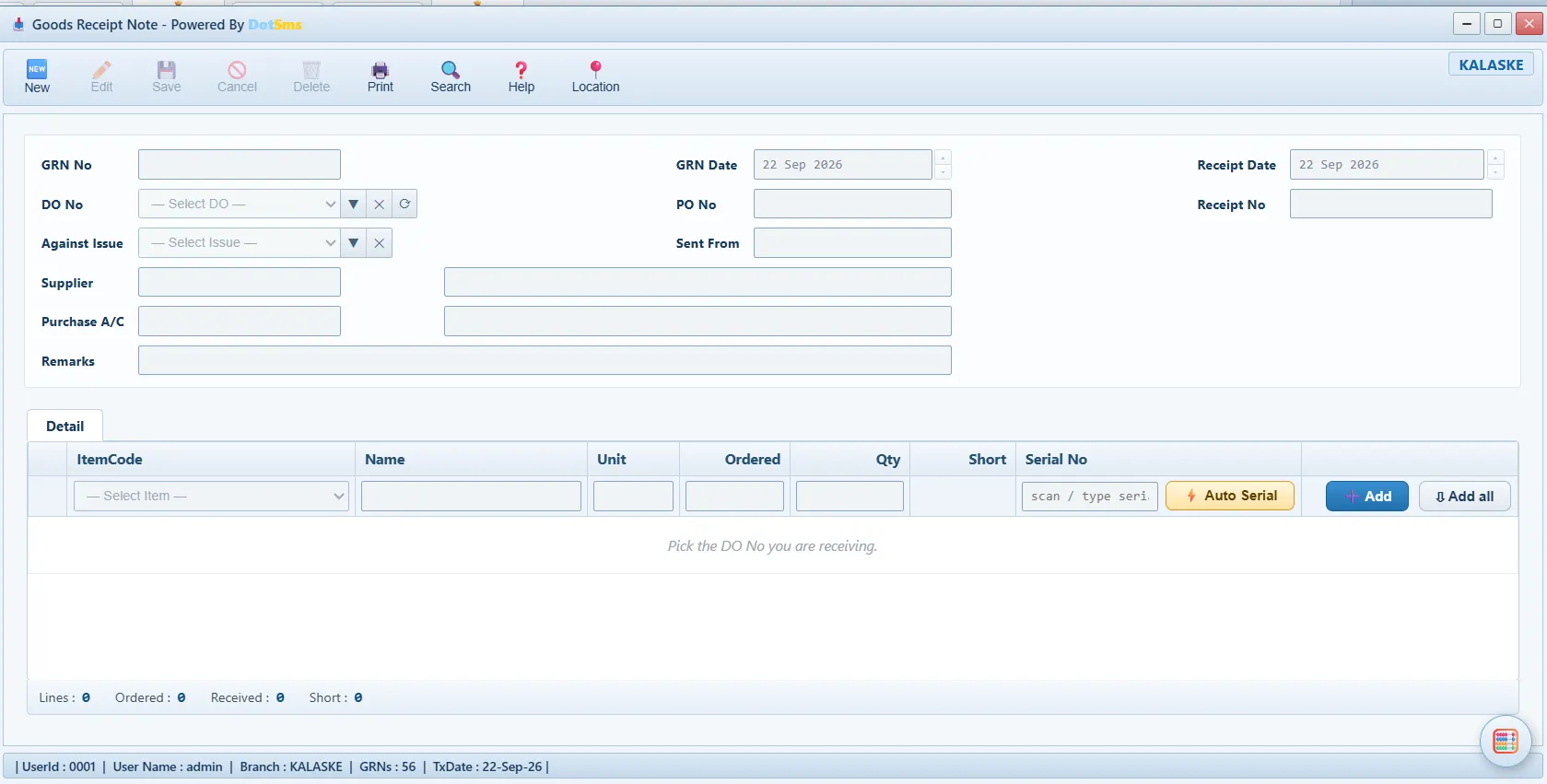
- Goods Receipt Noteserial numbers, barcode scan
- Stock Reconciliation
- Stock Reconciliation Approval
- Stock Adjustment
- Waste Entry
- Waste Approval
- Waste Recovery Sale
- Sub-Recipe Production
Reports & Analytics
- Company Stock
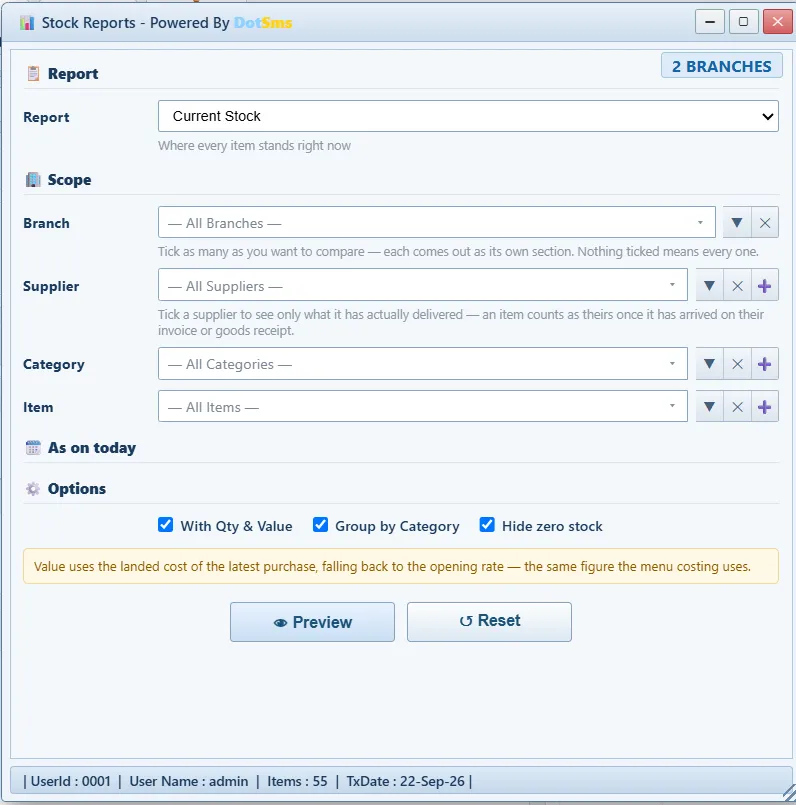
- Stock Reportsvaluation, movement, ledger, serial-number wise
- Issue & Receive Report
- Stock Reconciliation Reports
- Waste Reports
Purchase 12 screens
Purchase Order → Goods Receipt → PO Invoice. The receipt moves stock; the invoice books the purchase once (stock against supplier), with advances, part payments and schedules.
Master Data
- Supplier Group
- Supplier Setup
- Purchase Price List
- Supplier Opening
Transactions
- Purchase Order
- Purchase Invoicedirect purchase
- Purchase Return
- Supplier Payment
- PO Invoicebill against a delivery
Reports & Analytics
- Purchase Reports
- Supplier Ledger
- Pending Invoices Monitor
Sales 23 screens
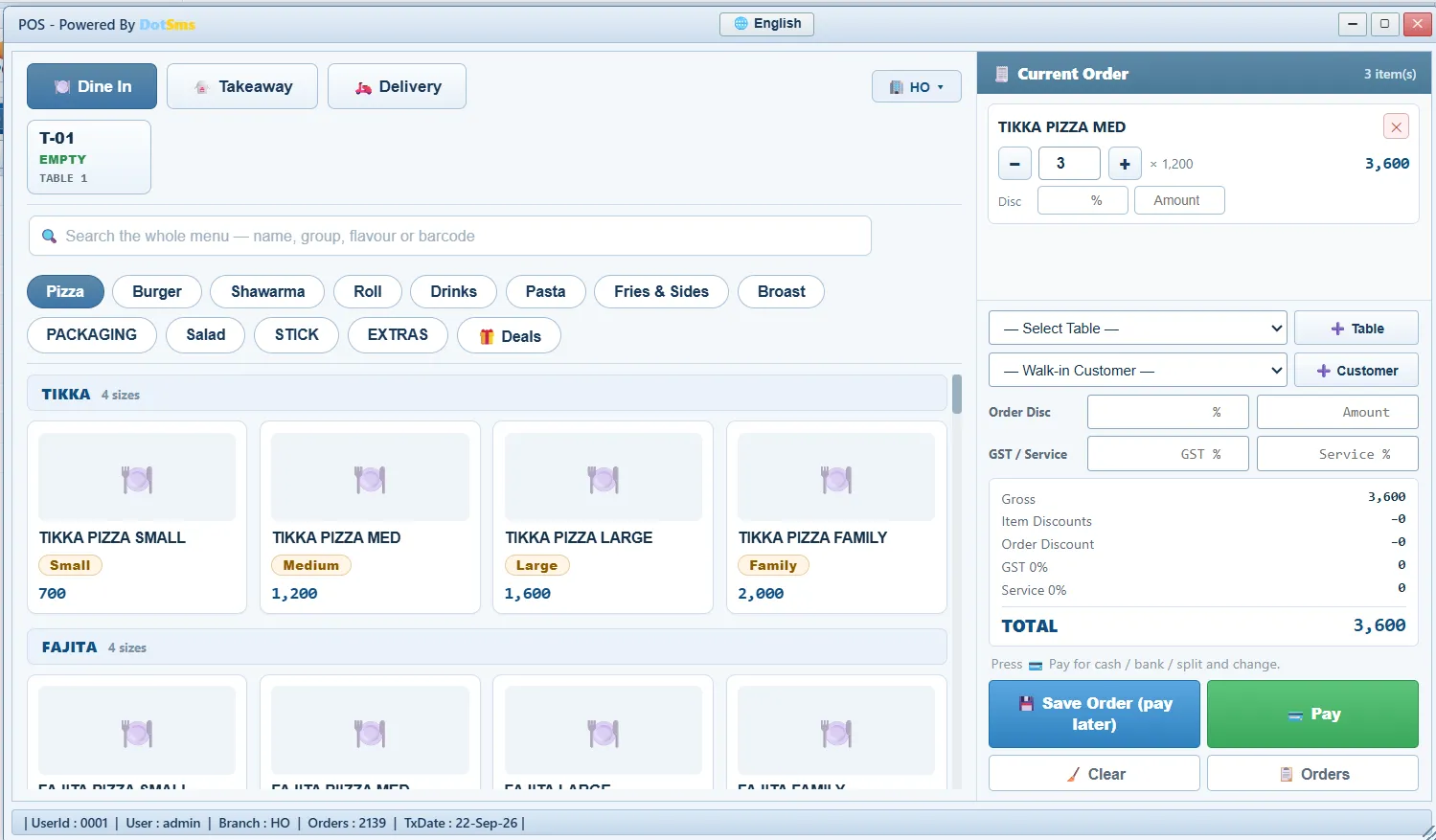
Menu, recipes, deals and the touch POS; table and QR ordering; kitchen display; delivery; customers on credit with advances and ledgers.
Master Data
- Menu Setupproducts, recipes, prices
- Customer Setup
- Table / QR Codes
- Printer Setup
- Sales Payment Method
- Sales Promotion
- Combos & Deals
- Item Group
- Sub-Recipe Setup
Transactions
- POScounter · table · delivery · tips
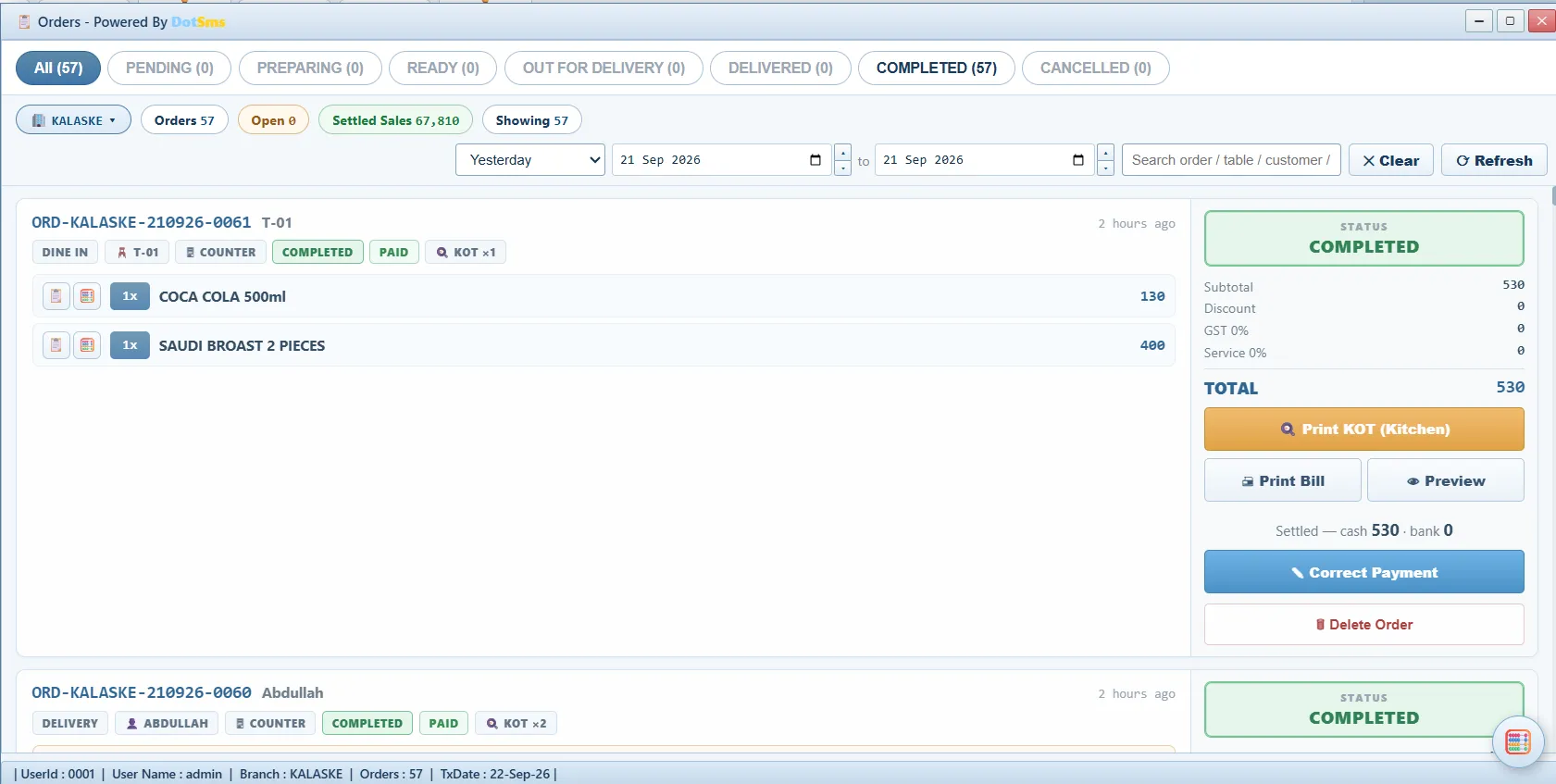
- Orderslive inbox, QR orders, rider via WhatsApp
- Sale Invoice
- Sale Return
- Customer Payment
- Customer Advance
- Kitchen Displayorder timers
- Sub-Recipe Production
Reports & Analytics
- Sale Report (Branch Wise)
- Sale Reportshow every bill was paid
- Sale Profit Reports
- Customer Ledger
- Daily Business Detail Report
- Recipe Report
Payroll / HR 19 screens
Employee profiles and departments, attendance, policy-based salary calculation with allowances and deductions, advances recovered from salary, resignations — every payment posted to the ledger.
Master Data
- Employees Profile
- Department
- Designations
- Payroll Policy
- Leave Types
- Manage Holidays
- Allowance / Deduction
- Employee Advance Types
- Employee Opening
Transactions
- Salary Calculation
- Employee Advance
- Salary Payment
- Mark Attendance
- Employee Resignation
Reports & Analytics
- Attendance Sheet
- Payroll Reports
- Staff Advance Monitor
- Employees Monitor
- Employee Ledger
Banking 8 screens
Bank accounts tied to ledger heads; incoming and outgoing payments, cheque books, cheque posting and returns with reasons, bank funds in transit.
Master Data
- Banks Setup
- Cheque Return Reasons
Transactions
- Incoming / Outgoing Payments
- Cheque Posting
- Cheque Book
- Cheque Return
- Bank Funds in Transit
Reports & Analytics
- Banking Reports
Log Reports 3 screens
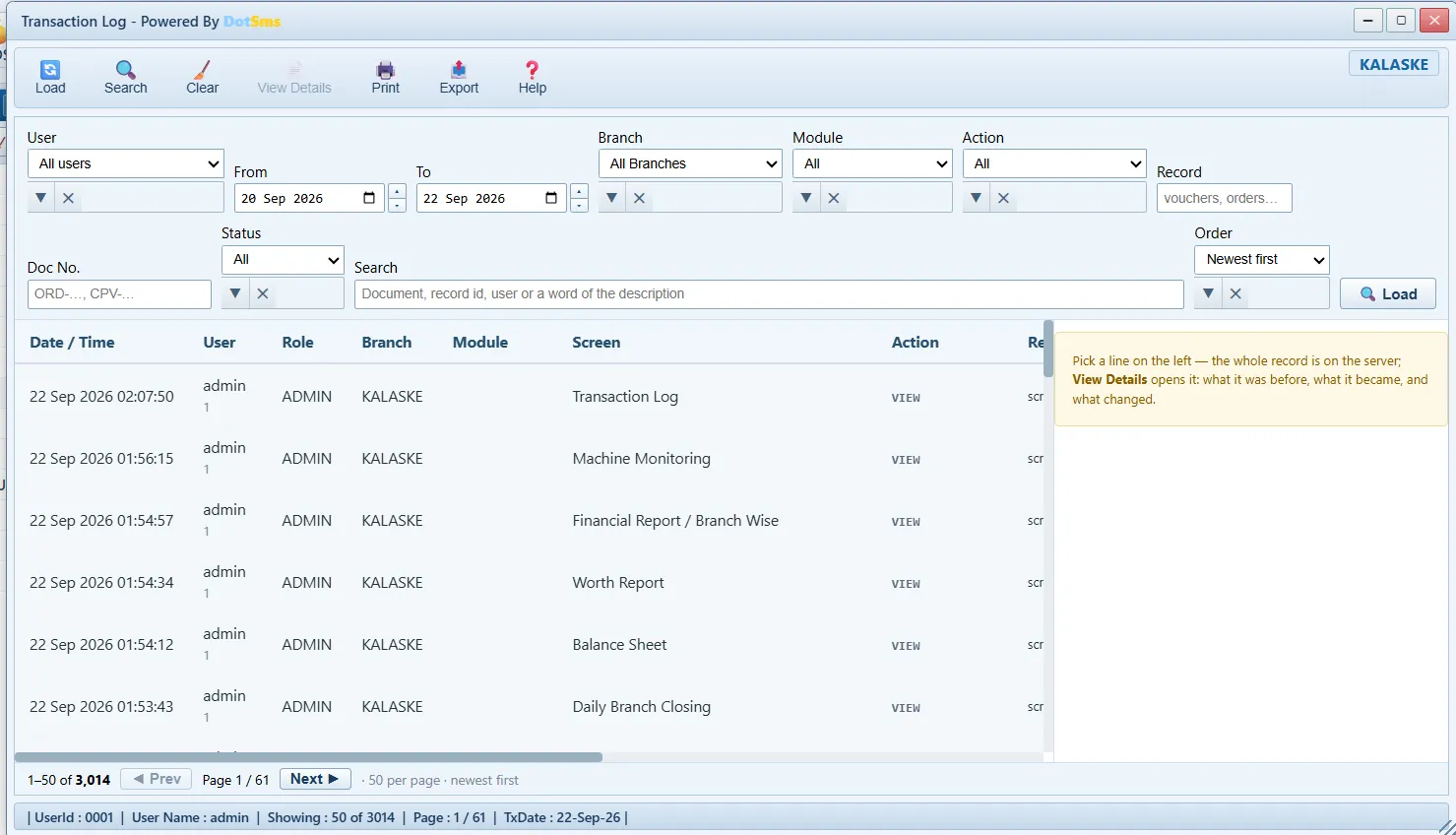
An immutable audit log written by the server — before/after snapshots of every change and delete, refusals included.
Screens
- Error Log
- Transaction Log
- Transaction Log (UserID)
A/C Payable 3 screens
What is owed to suppliers, bill by bill, against the ledger.
Screens
- Payables Monitor
- Supplier Payment
- Payable Reports
A/C Receivable 3 screens
Credit customers, advances and collections.
Screens
- Receivable Reports
- Receivables Monitor
- Customer Payment
Kitchen 6 screens
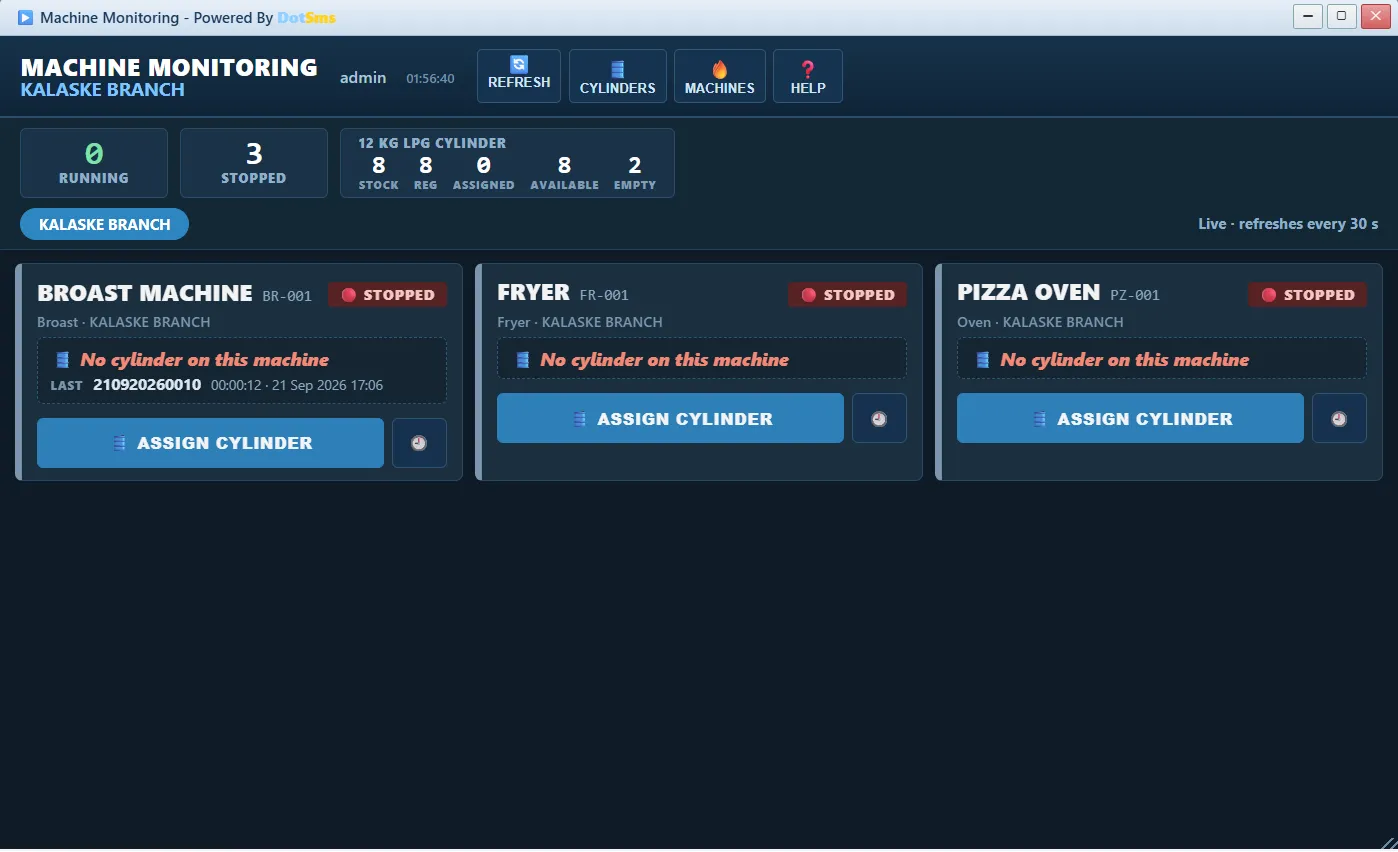
Machines, gas cylinders and their runtime.
Screens
- Machine Setup
- Cylinder Registry
- Kitchen Display
- Machine Monitoring
- Machine Reports
- Cylinder Runtime Report
Management, Dashboard and Utility.
Management
Manage Users, User Roles, User Privileges (form × action × branch, day limits), Businesses & Branches, Business Categories, Mobile App users and devices.
Dashboard
Board panels for today’s sales, cash, expenses and stock, per branch.
Utility
Calculator, Excel export on reports, PDF print with the company logo, universal search with branch and date filters, per-user keyboard shortcuts, workspace that reopens as you left it.
See it on your own menu.
A demo runs on your own menu and your own branches; nothing to install.