Product · Reports & Statements
Eleven statements, computed on the server.
Every statement comes from the ledger — the same figures on the desktop and on the owner’s phone. Any statement can run for one branch or for the company.
| Statement | What it shows | Branch scope |
|---|---|---|
| Trial Balance | Opening, debit, credit and closing per head for a period | Any branch or all |
| General Ledger | Every posting on a head with running balance; jump to the source document | Any branch or all |
| Day Book / Daily Transactions | Every voucher of a day, narrations naming the goods (item × qty @ rate) | Any branch or all |
| Profit & Loss | Incomes − expenses with notes to the ledger | Any branch or all |
| Financial Report / Branch Wise | P&L cross-tab, one column per branch, notes per branch | All branches side by side |
| Balance Sheet | Two-column statement, profit split at the financial-year start, stock ledger reconciled to the cost book | Any branch or consolidated |
| Worth Report | Net worth as of any day: assets − liabilities, equity, branch table, inventory tree, seven-line reconciliation | Company and per branch |
| Cash Flow Indirect Method | Net profit → non-cash reversals → working capital → investing, financing and inter-branch sections | Any branch or all |
| Cash Book | Cash and bank movement per day per branch | Any branch |
| Daily Branch Closing | Opening cash, cash in, cash out, closing — built from the cash book; closes the day | Per branch |
| Expense Report (Location) | Expenses by head by branch | All branches |
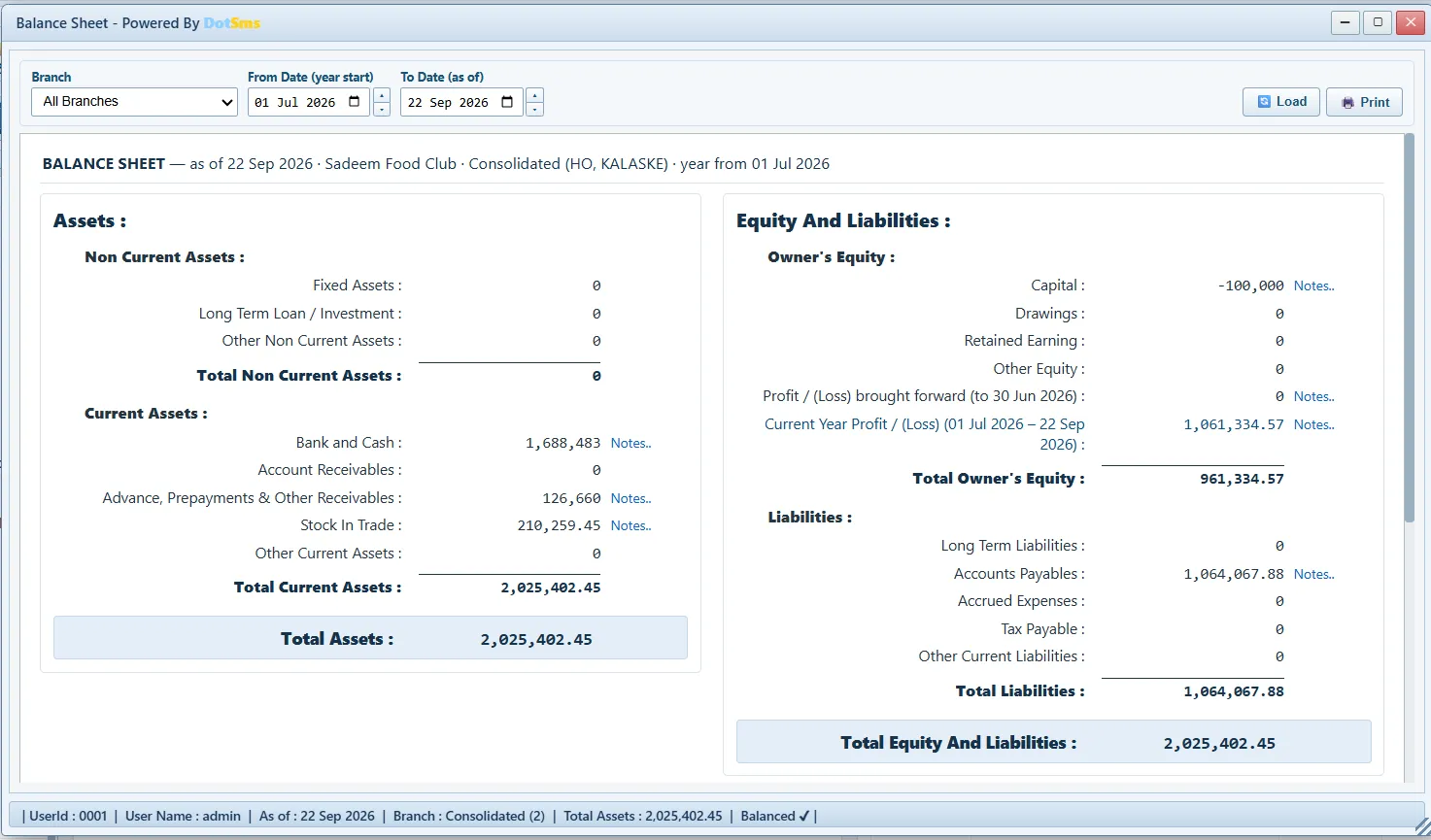
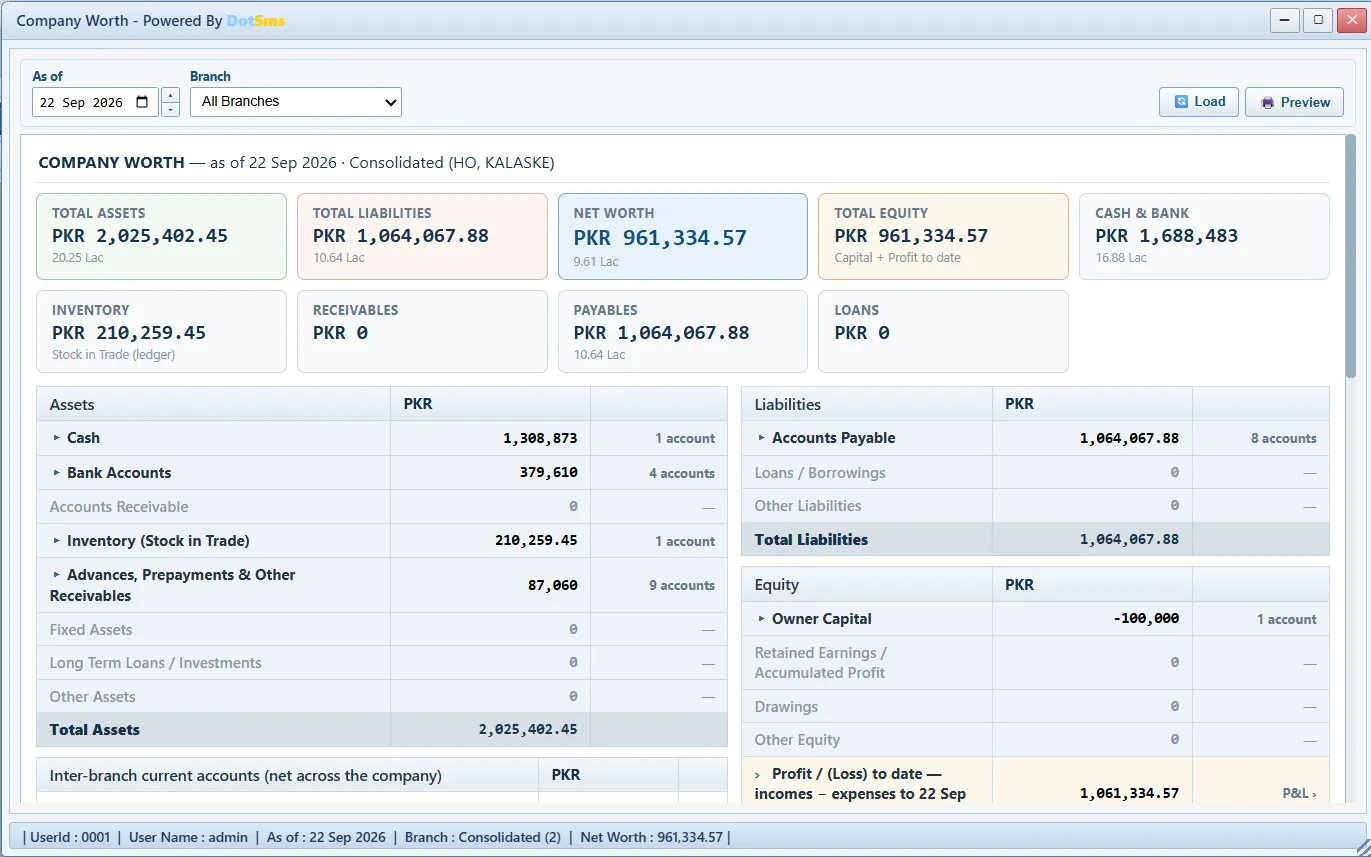
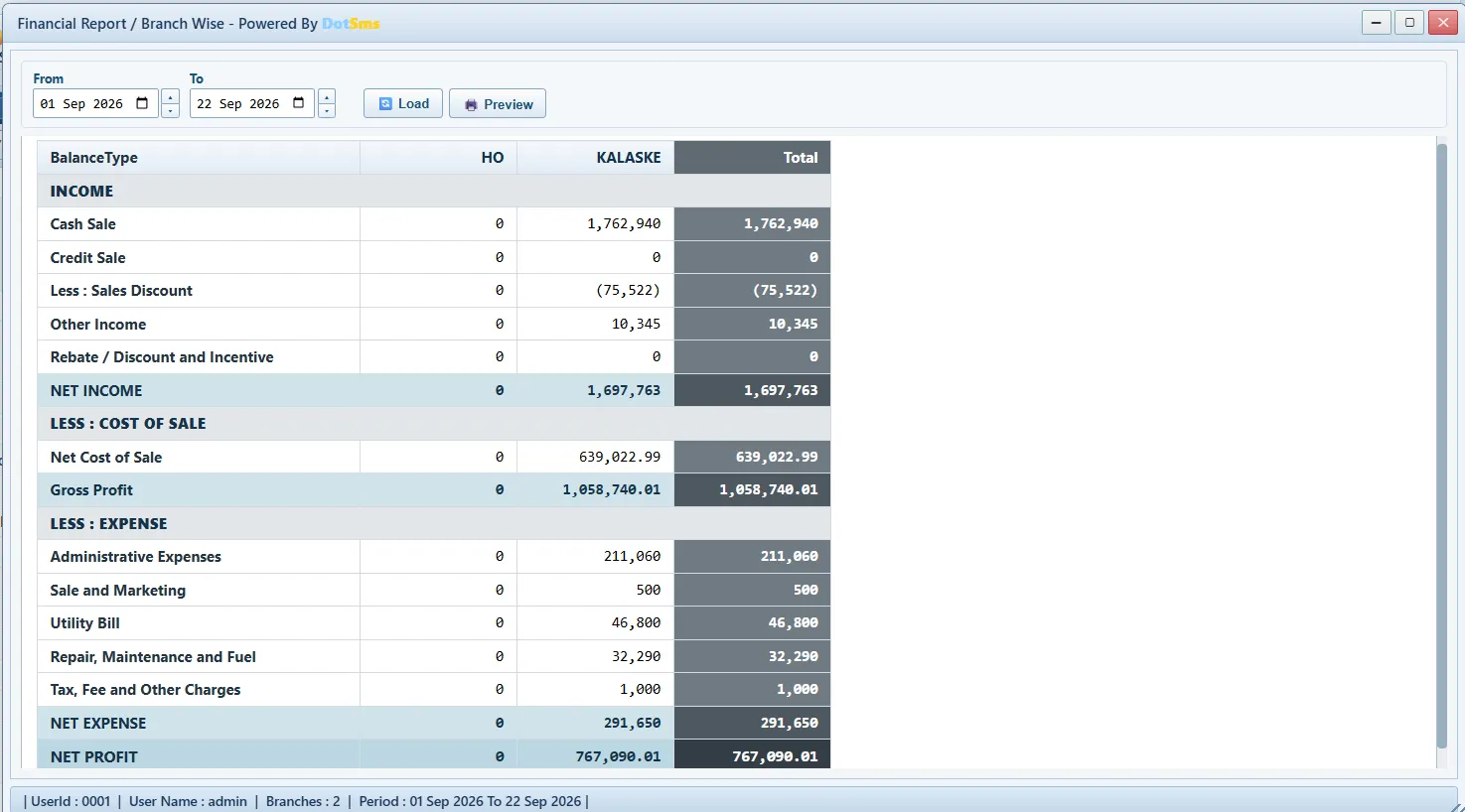
Computed on the server. The Owner app’s reports — P&L, sale profit, business-day detail — run the ERP’s own server code, so the phone and the desktop never disagree. Statements print to PDF with the business’s logo and export to Excel.
Operational reports
By module.
Each module keeps its own reports beside its transactions — sales, stock, purchase, payable and receivable, payroll, banking, the kitchen’s machines and cylinders, and the audit log.
Sales
- Sale Report (Branch Wise)
- Sale Reports — how every bill was paid
- Sale Profit Reports
- Customer Ledger
- Daily Business Detail Report
- Recipe Report
Inventory
- Company Stock
- Stock Reports — valuation, movement, ledger, serial-number wise
- Issue & Receive Report
- Stock Reconciliation Reports
- Waste Reports
Purchase
- Purchase Reports
- Supplier Ledger
- Pending Invoices Monitor
A/C Payable · A/C Receivable
- Payables Monitor
- Payable Reports
- Receivables Monitor
- Receivable Reports
Payroll / HR
- Attendance Sheet
- Payroll Reports
- Staff Advance Monitor
- Employees Monitor
- Employee Ledger
Banking
- Banking Reports
Kitchen
- Machine Reports
- Cylinder Runtime Report
Log Reports
- Transaction Log
- Transaction Log (UserID)
- Error Log
Ask for the Balance Sheet in the demo.
Bring last month’s figures — the demo runs on your own menu and branches.