Fast food software in Pakistan — the counter, the kitchen and the books in one system.
Dot Sms Business One is a browser-based POS and ERP for fast-food outlets and restaurant chains in Pakistan: every sale takes its recipe off the shelf, every branch is on one ledger, and the owner sees the day on a phone. Priced in rupees, by module and by branch.
Four things a fast-food business here loses money on.
A billing screen adds the order up. It does not tell you where the chicken went, what the branch owes the supplier, or whether last month made a profit. This does.
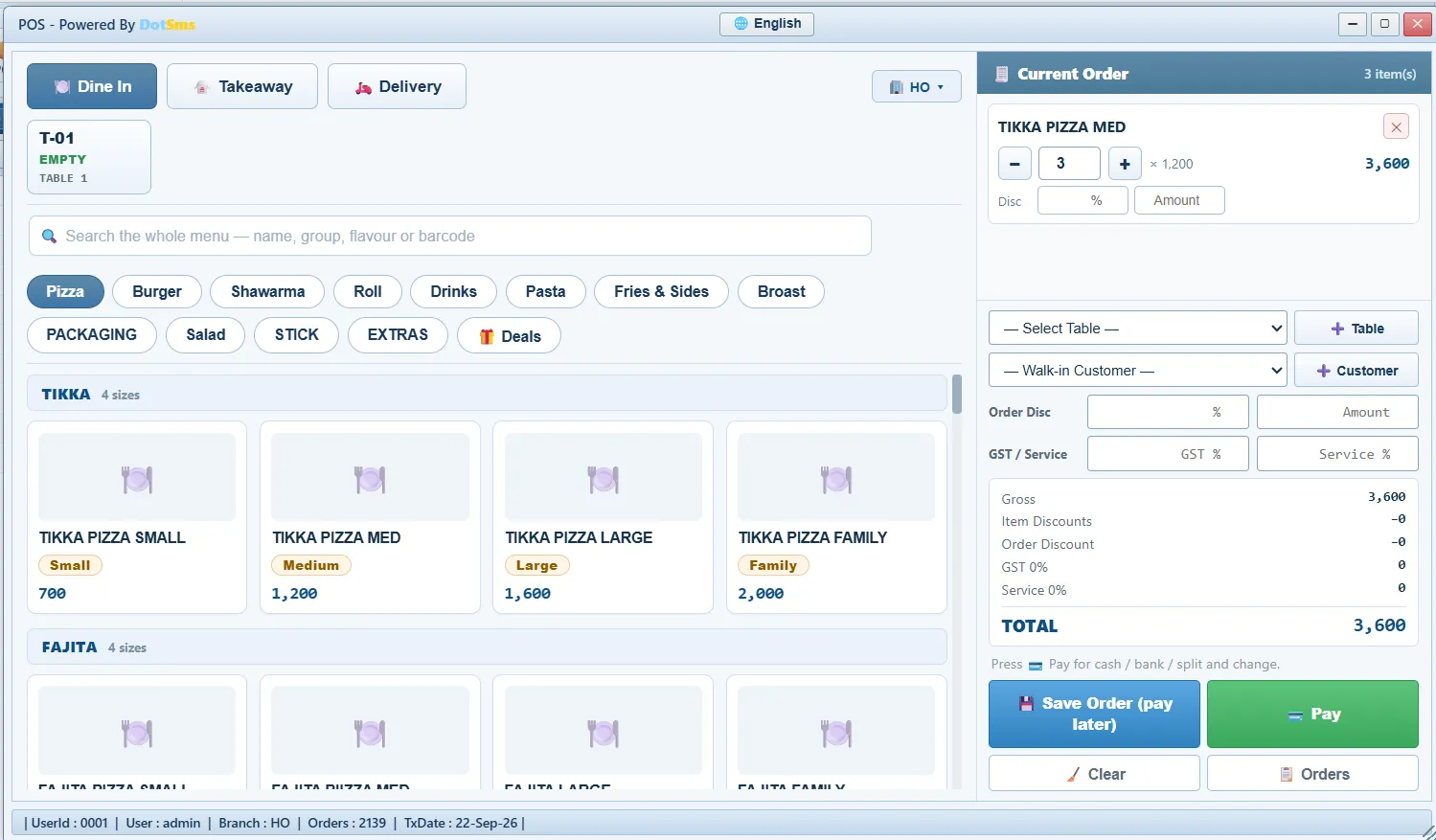
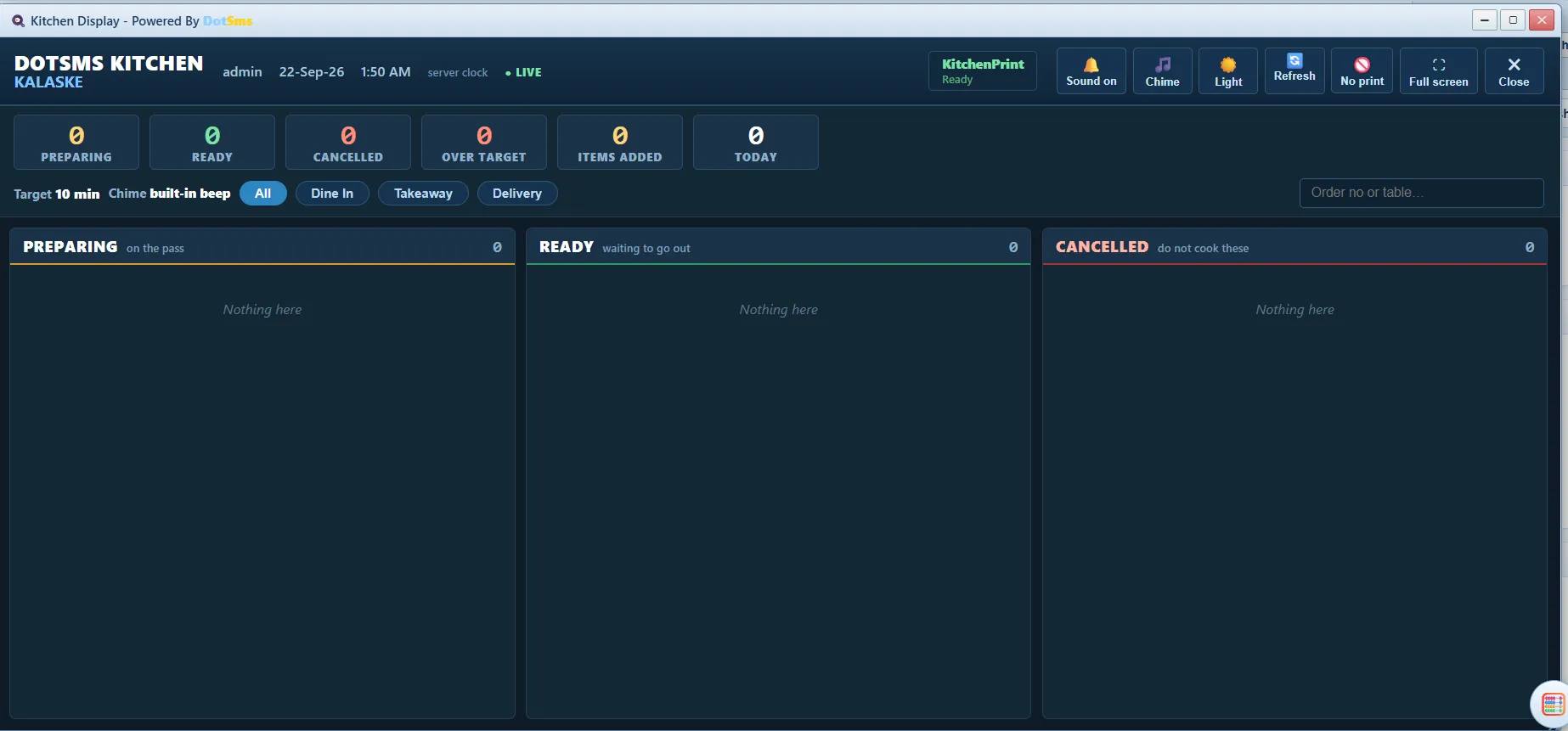
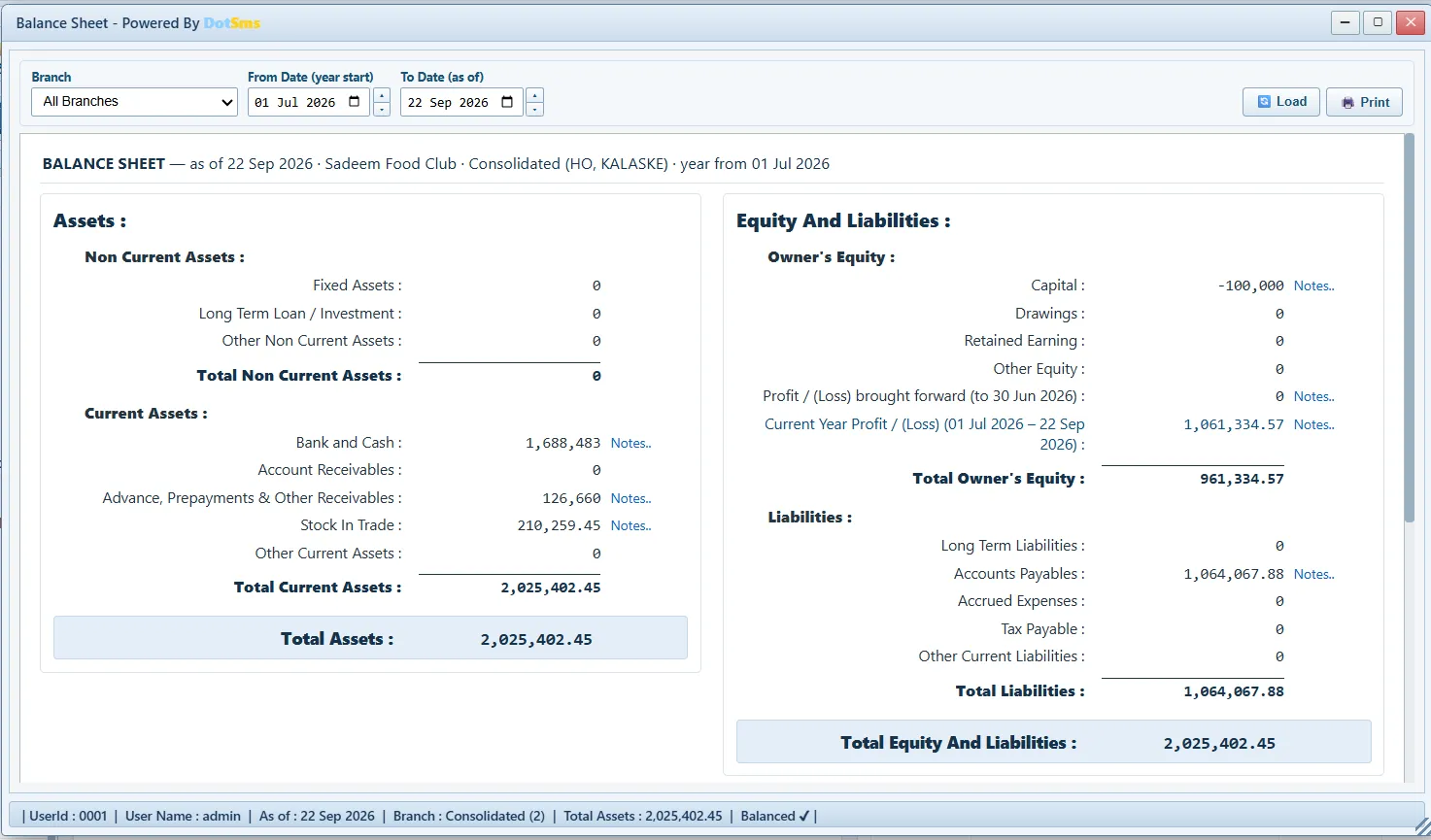
The counter at the lunch rush, the kitchen’s screen, and the Balance Sheet the same books produce.
The touch POS — counter, takeaway, table and delivery.The kitchen display, with timers per order.The Balance Sheet, computed on the server.
Made for here
Why it fits a Pakistani outlet.
Urdu where it is read
The POS menu, the kitchen slip and the customer bill can carry Urdu names beside the English ones.
Priced in rupees, by module and by branch
PKR 4,000 a branch a month for the four core modules, PKR 7,000 for all ten — no licence per terminal and none per user.
WhatsApp is part of the day
A delivery order goes to the rider on WhatsApp from the orders inbox; support and the sign-up reach you the same way.
The line drops and the counter keeps selling
Orders are kept in the browser and sent when the connection returns; a slow line is shown on screen.
No installation, modest hardware
It runs in Chrome or Edge on the PC or tablet already at the counter; an optional print agent drives the thermal printer.
Built and supported from here
Made in Mirpur, Azad Kashmir, in production with real restaurants — the people who wrote it answer the phone.
Pricing
Two plans, in rupees, per branch per month.
No licence per counter and no licence per user. Setup, training and data migration are quoted with the plan.
How many branches?
Basic Plan
The four modules a shop cannot run without
PKR 4,000/ branch / month
4000
4 modules
81 screens
Per branch
Accounts24
Inventory22
Purchase12
Sales23
Payroll / HR19
Banking8
Log Reports3
A/C Payable3
A/C Receivable3
Kitchen6
Accounts — a full set of books, written by the sales themselves
Inventory — stock that goes down as you sell, counted and corrected
Sale — the counter, customers, credit, returns
Purchase — suppliers, bills, returns and what you owe
Everything
Business Plan
Every module, nothing switched off
PKR 7,000/ branch / month
7000
All 10 modules
123 screens
Per branch
Accounts24
Inventory22
Purchase12
Sales23
Payroll / HR19
Banking8
Log Reports3
A/C Payable3
A/C Receivable3
Kitchen6
Everything in Basic, and the other six modules with it
Payroll & HR — attendance, salaries, advances, every payment posted
Banking, A/C Payable and A/C Receivable — cheques, who owes whom, and when
Log Reports and the Kitchen module — the counter, the kitchen and the audit trail
FAQ
What owners ask before they buy.
What does fast food software cost in Pakistan?
It is sold by module and by branch, in rupees per month: Basic PKR 4,000 a branch, Business PKR 7,000 a branch. Basic opens Accounts, Inventory, Sale and Purchase; Business opens all ten modules, the kitchen one included. Two outlets on Basic is PKR 8,000 a month. There is no charge per counter and none per user, and setup, training and data migration are quoted with the plan.
Is it a POS or a full ERP?
Both, and that is the point. The touch POS is one screen of a system that also carries inventory at moving-average cost, purchases, payroll, banking and a complete double-entry general ledger — so the sale at the counter and the Balance Sheet are the same set of books.
Does it work for more than one outlet?
Yes. Head office and the outlets share one ledger with inter-branch accounts; stock and cash move through “in transit” screens; reports come branch-wise or consolidated. Each branch is charged at the plan’s rate, so you pay for the outlets you actually open; six or more and we quote the chain.
Does it handle sales tax?
Tax and service charges are set per business and per branch and print on the bill. Digital invoicing with FBR is not part of the system today — if that is a requirement for your outlet, tell us and we will be straight with you about the timeline.
Can the staff be stopped from deleting sales?
Yes — rights are per form, per action and per branch, enforced by the server; a closed business day cannot be changed by anyone, and every edit and deletion is written to a log that cannot be rewritten from the screens.
What about Urdu?
The POS menu, the kitchen slip and the customer bill can be in Urdu; the rest of the system is in English so that staff and accountants read the same words as the reports.
How long does it take to start?
A demo runs on your own menu. After that, the menu, recipes, opening stock and opening balances are set up with you and the team is trained on the counter and in the office; a single outlet is usually running within a few days.
Where is my data?
On a dedicated server at dotsms.net, one business per address, separated in the database itself by row-level security — not only in the application. Backups are taken before and after every deployment.